
How to Scale Your Business Operations with a High-Speed Copy Printer in Anchorage, AK

Updated: Aug 17
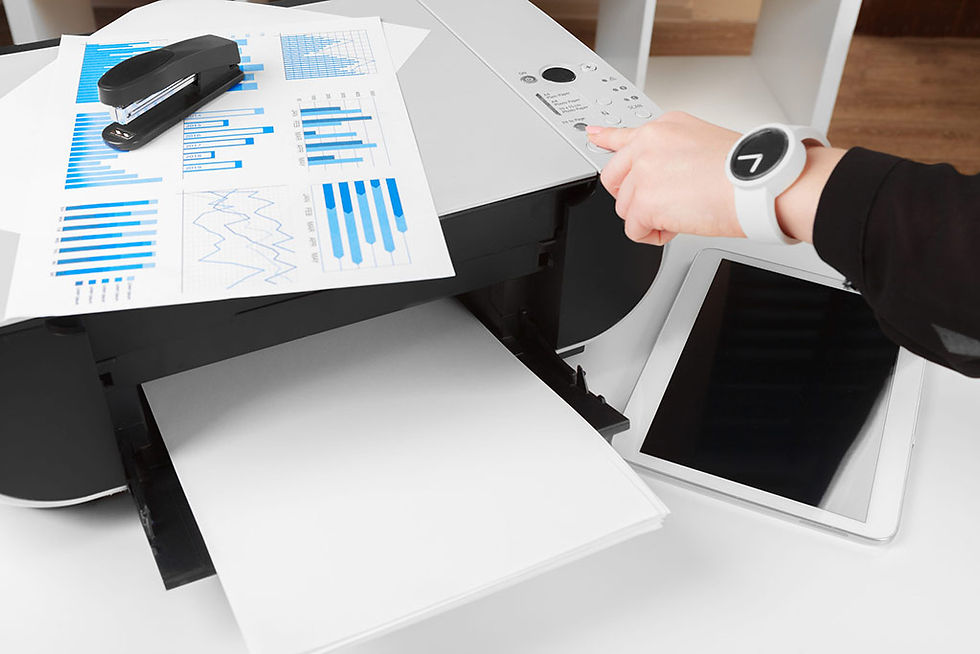
As your business grows, so do the demands placed on your office equipment. The equipment that worked for a small team printing a handful of documents a day quickly becomes bottlenecked when your company grows, handling larger workloads, serving more customers, and even expanding into new markets. Slow print speeds and frequent maintenance issues can really limit your productivity. Investing in a high-speed copy printer in Anchorage, AK, is one of the most practical ways to scale your business as it grows. Keep reading to find out how.
Why Printing Still Matters in a Digital World
As businesses grow, reliable printing continues to play an important role alongside digital workflows. Even with the widespread adoption of paperless processes, many industries still depend on printed materials for everyday operations. Contracts, invoices, employee onboarding packets, marketing collateral, engineering drawings, compliance documents, and customer proposals often require high-quality printed copies. Choosing the right office printer helps support these essential business functions while keeping document workflows efficient and productive.
As your business expands, print volume will often increase along with your customer base. Without a printer that’s designed for larger workloads, your employees might spend unnecessary time waiting for print jobs, troubleshooting equipment, or outsourcing print jobs they could have otherwise done in-house. A high-speed printer helps keep operations moving efficiently while ensuring you have high-quality, professional documents.
Eliminating Bottlenecks in Productivity
One of the biggest obstacles in scaling a business involves finding and eliminating bottlenecks in your operations. Printing delays often go unnoticed as one of these bottlenecks until they start to impact multiple departments. Sales teams might need materials for a presentation with a client. HR might need onboarding packets for new hires. Accounting might need to print invoices, reports, and financial statements. Marketing teams will likely need brochures and promotional pieces.
And when all of these departments depend on a single slow printer, your employees waste a lot of time standing in line, waiting for jobs to finish, or reprinting documents after paper jams (a common problem when printers are being overused). Here are a few ways that high-speed printers can help reduce these delays:
More pages printed per minute
Larger paper capacity (fewer tray refills)
High monthly duty cycles
Quick warm-up times
Automatic Document feeders
Duplex printing abilities
These kinds of features allow multiple departments to complete projects at the same time without slowing their operations overall.
Support Higher Workloads without Sacrificing Quality
Growth in a business means handling more customers, processing more paperwork, and producing more business documents every day. Smaller printers often struggle under heavier workloads. Excessive use can lead to overheating, frequent maintenance, declining print quality, and a shortened equipment lifespan. By comparison, corporate-level copy printers are built for continuous operation, even under demanding conditions. They maintain consistent image quality while producing thousands of pages every month. This reliability becomes increasingly useful as your company hires more employees or expands to more locations.

Improve Workflow Efficiency
Scaling successfully isn’t only about working harder. It’s about working smarter, or, at least, making your workflow smarter. Multifunction printers nowadays integrate with digital business processes to eliminate those pesky, repetitive manual tasks. Here are a few ways that smarter printers can improve your workflows:
Scanning documents straight to email
Saving files to cloud storage
Routing documents into workflow software
Converting paper files into searchable PDFs
Printing securely from mobile devices
Automating certain document processes
Instead of manually scanning, naming, organizing, and emailing documents one at a time, employees can complete entire workflows with a few touches on the printer’s control panel. The time you save with these features can add up quickly and become substantial over the course of hundreds or thousands of documents a month.
Reduce Outsourcing Costs
Growing businesses often outsource large print jobs because their existing office equipment simply can’t handle the workload. While outsourcing certainly has its place for specialized marketing materials, oversized graphics, and other types of printing, a lot of everyday business documents can be produced in the office if you have the right printer. This can include training manuals, employee handbooks, sales presentations, client proposals, meeting packets, and more. Bringing more printing in-house reduces turnaround times on print jobs while giving your employees greater control over revisions and deadlines. And, of course, it reduces recurring printing expenses.
Scale without Constantly Upgrading Equipment
One common mistake growing businesses often make is purchasing equipment based only on their current needs. A printer that seems adequate for your needs today can become overloaded within a year as your staff and document output increases. Choosing a high-speed printer with room for future growth helps you avoid constantly replacing your equipment as your needs grow. Here are a few features you should consider investing in, even if you think you don’t need them right now:
Additional paper trays
Higher-capacity finishers
Booklet makers
Hole punch units
Stapling systems
Expanded storage
Enhanced workflow software
These upgrades allow you to expand your printing abilities without replacing the entire device just because your company kept growing.
Strengthen Security for Your Growing Business
Growth often brings increased responsibility for protecting sensitive business information. Financial records, customer data, legal documents, employee files, and healthcare information all require the right safeguards. Many high-speed printers have advanced security features like user authentication, encrypted hard drives, secure network connections, audit trails, and more. These features help reduce the risk of unauthorized access while supporting your efforts to stay compliant.
Reduce Your Operating Costs over Time
Although commercial copy printers do require a larger upfront investment than a desktop printer or other small model might, they often provide a lower cost of ownership over time. Their longer lifespan, higher-yield cartridges, and lower cost per printed page can really add up over time. So, though the price tag of a larger printer might be daunting, it’s important to keep in mind the total cost of ownership over the lifetime of the machine. And, in the end, a high-speed printer with a higher capacity can often provide lower printing costs for a growing business.
If you’d like to see what kinds of printers we have in stock, or if you need help finding a copy machine in Anchorage, AK, that fits your needs, call or stop by Arctic Office Today.


Comments